products technology training company contact
         
     
Products

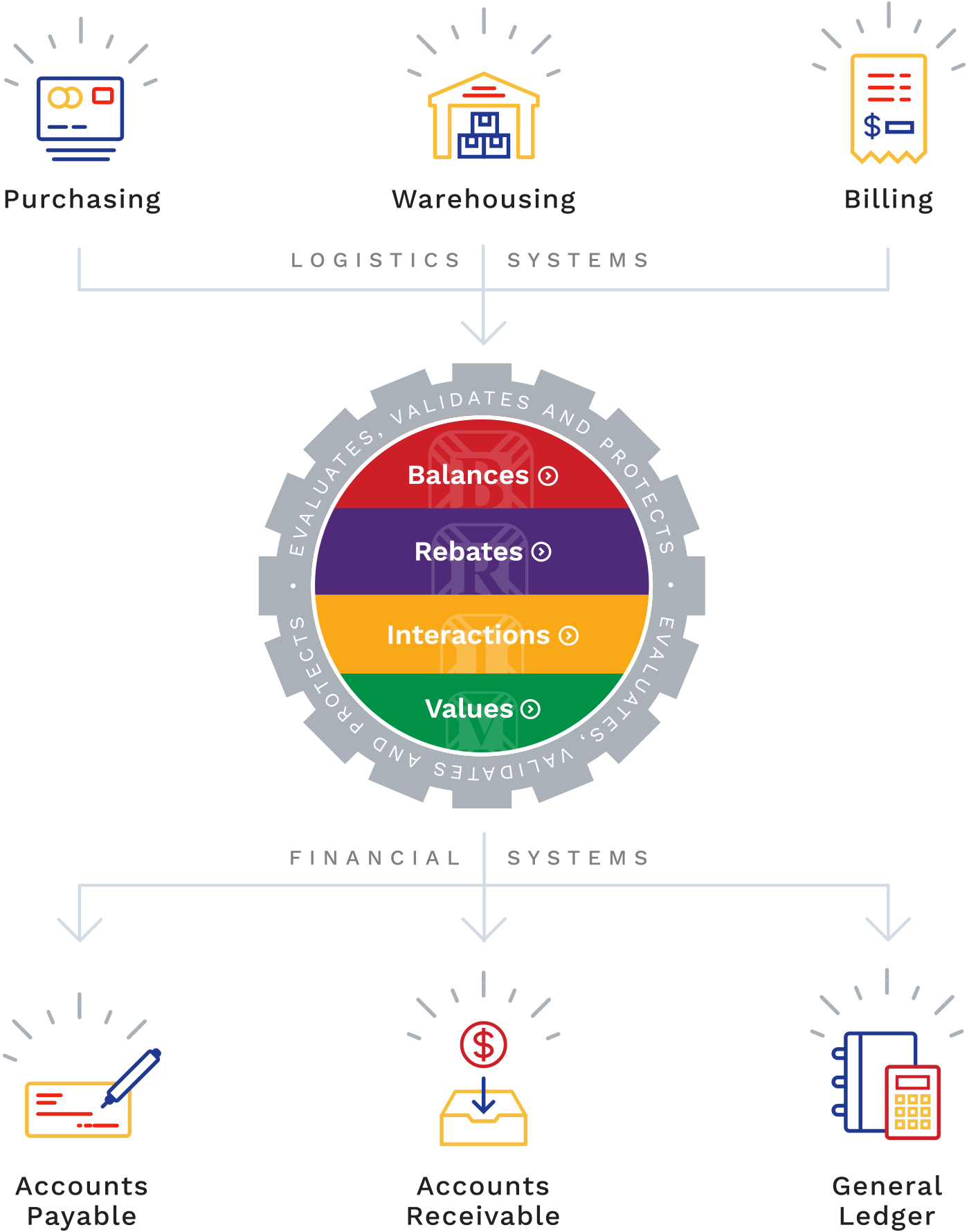
BALANCES requires only a few details such as the purchase order number, total invoice amount and invoice terms after you receive the invoice. BALANCES searches its database to find the matching receipt information and applies a tolerance algorithm to verify that you have been billed as you had expected. The tolerances are based upon the size of the receipt and whether the difference favors the Supplier or your company. These tolerance parameters are established during the install and are easily maintained by your staff.

The Reconciliation

BALANCES calculates three different payment dates from terms on the invoice, on the receipt and from your A/P vendor. You specify which terms are appropriate for each vendor. BALANCES immediately determines the optimal terms for you on every payment.

Invoices that are within the tolerances are automatically routed to your Accounts Payable System for payment. BALANCES presents a single reconciliation screen for invoices out of tolerance. You only need to identify where the invoice and the receipt differ. BALANCES already knows all the detail item and costing information from the receipt.

Identifying the differences is quick using BALANCES. Using the drag and drop function, allows the user to add the second receipt or any missing deal information. You don't know where the second receipt is? BALANCES allows you to open multiple windows. It even has a customizable toolbar to place your most frequently used components at your fingertips. BALANCES re-calculates the totals and immediately informs you of the remaining difference each time you make a change.

Any discrepancies are automatically routed to the appropriate User for review when reconciling an invoice. Cost issues are sent to the specific buyer responsible for the item. Quantity issues are sent to the warehouse. Freight rates are sent to your traffic manager.

BALANCES is a complete solution, with support for both EDI, Internet and DEX invoices. BALANCES will perform the invoice reconciliation process for you. Every item and cost is reviewed by BALANCES resulting in, finding offsetting quantity problems, missing deals which were hidden in net pricing and splits supplier over-shipments to a separate voucher, pending a possible second invoice. You can choose to have electronic invoices, which pass your stringent controls, sent for payment without any intervention.

BALANCES discrepancy review is quick and easy. A single screen presents all the information necessary to make an informed decision including how the product was received and how it is invoiced. A single click allows you to choose the PO, invoice or lowest cost.

BALANCES automatically does the following after each review:

1) Routes the payment to your Accounts Payable System
2) Generates all accounting transactions for your General Ledger
3) Prints the remittance document
4) Re-values your on-hand inventory
5) Identifies and deduct deals and freight allowances on any short-shipped product.


© 2005, Supply Chain Products, All Rights Reserved